It's FOSS on Nostr: Quick GNOME Tip 💡 Stop a held key from typing the same character repeatedly. In ...
Quick GNOME Tip 💡
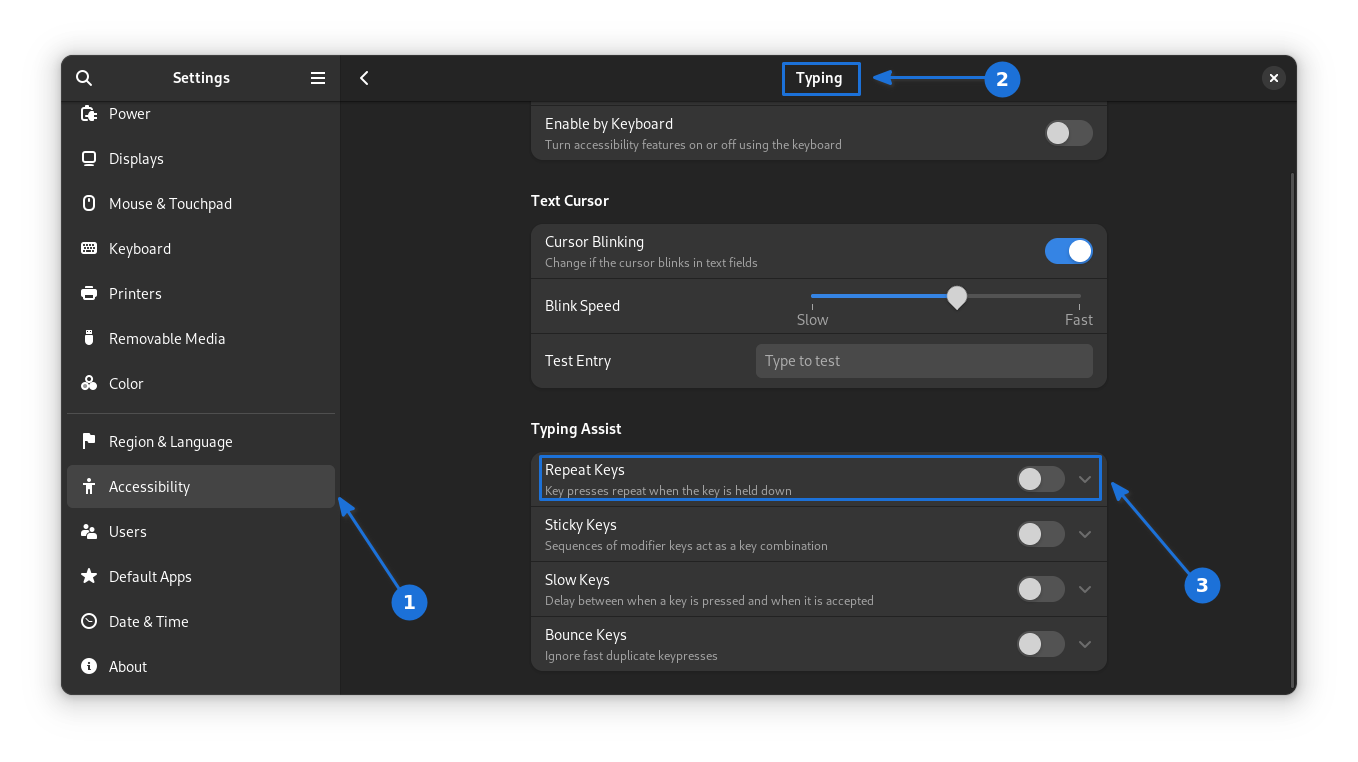
Stop a held key from typing the same character repeatedly.
In Settings, go to Accessibility > Typing > Type Assist, then turn off the repeat key option. Now, holding down a character key will insert it only once.
Published at
2026-10-05 14:30:59 UTCEvent JSON
{
"id": "ba7c33ed236e60c638058fd6ea08b2910fb6cd313fd877a7bd8843a48992e24d",
"pubkey": "4260bdcbabf20b8d506ceb63d320bf1c2eb2946a83959cc525570d26387a2b02",
"created_at": 1791210659,
"kind": 1,
"tags": [
[
"imeta",
"url https://files.mastodon.social/media_attachments/files/117/388/781/667/260/711/original/c9d3a235a90fcee5.png",
"m image/png",
"dim 1358x762",
"blurhash U15E,2$~IT?coJoIj?XA4mWBt7M{x^ocjYj@"
],
[
"proxy",
"https://mastodon.social/users/itsfoss/statuses/117388781790009084",
"activitypub"
],
[
"client",
"Mostr",
"31990:6be38f8c63df7dbf84db7ec4a6e6fbbd8d19dca3b980efad18585c46f04b26f9:mostr",
"wss://relay.ditto.pub"
]
],
"content": "Quick GNOME Tip 💡\n\nStop a held key from typing the same character repeatedly.\n\nIn Settings, go to Accessibility \u003e Typing \u003e Type Assist, then turn off the repeat key option. Now, holding down a character key will insert it only once.\n\nhttps://files.mastodon.social/media_attachments/files/117/388/781/667/260/711/original/c9d3a235a90fcee5.png",
"sig": "31b5225f9e31a3d60776dfe66e246f64a52e51087915cdadbb43b1ce5066bf82bd1d63c69c6f916ea4be30bc81ad942b9d6da319fbc7feabc6fdb2d30b33f863"
}