Event JSON
{
"id": "b4c2d008a5fbdf4a86fd462943eca73ffe686a5746e7e124bafeb1950c998d90",
"pubkey": "40d281fb86c5bfe993b45a6fbda1f3819d43e89311e2960cb95ca05d59867392",
"created_at": 1786717818,
"kind": 1,
"tags": [
[
"imeta",
"url https://files.mastodon.social/media_attachments/files/117/094/326/536/714/353/original/db7a18b6c063c2ef.png",
"m image/png"
],
[
"proxy",
"https://mastodon.social/@mboelen/117094338958214462",
"web"
],
[
"t",
"freebsd"
],
[
"t",
"bsdtips"
],
[
"t",
"bsd"
],
[
"proxy",
"https://mastodon.social/users/mboelen/statuses/117094338958214462",
"activitypub"
],
[
"L",
"pink.momostr"
],
[
"l",
"pink.momostr.activitypub:https://mastodon.social/users/mboelen/statuses/117094338958214462",
"pink.momostr"
],
[
"-"
]
],
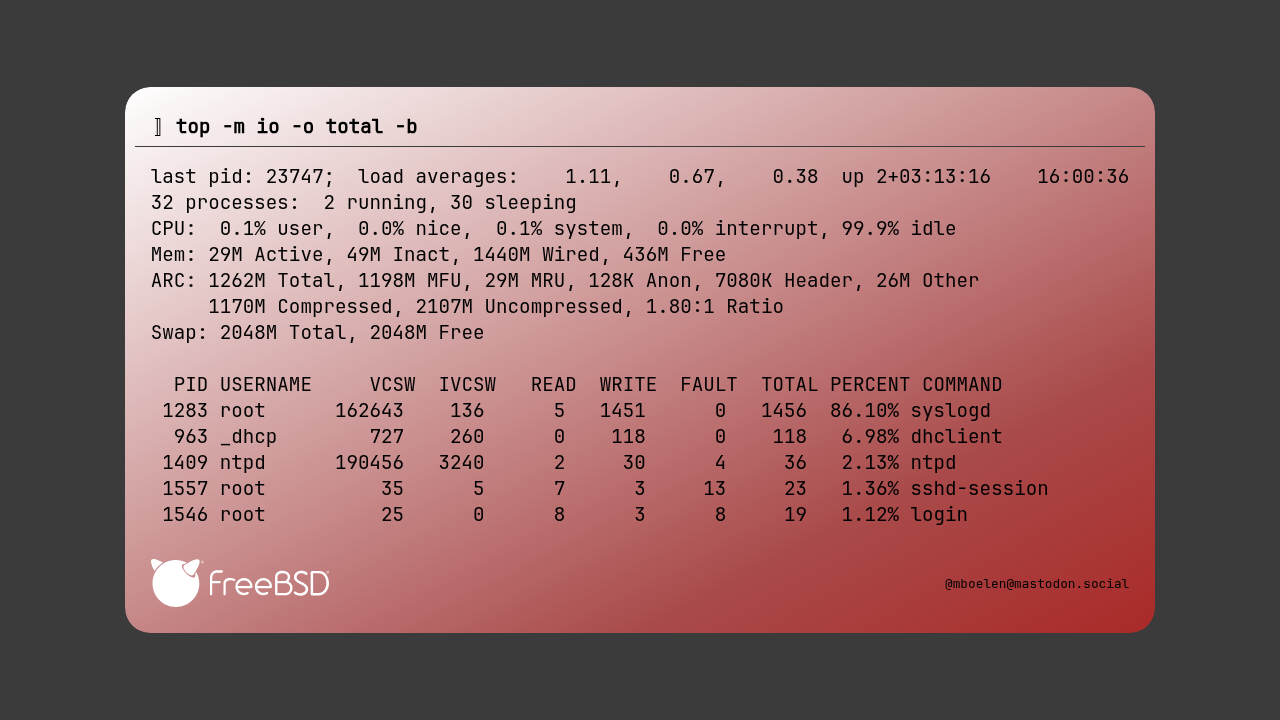
"content": "FreeBSD has a great way of monitoring IO (input/output) with the help of the top command.\n\nThis options makes it a lot easier to find which process is causing disk activity (which can be displayed with 'iostat')\n\nCommand: top -m io -b\n\nDo you have useful commands that others running FreeBSD should know?\n\n#FreeBSD #BSD #BSDTips\nhttps://files.mastodon.social/media_attachments/files/117/094/326/536/714/353/original/db7a18b6c063c2ef.png\n",
"sig": "526edee8337db3b7eb3e37d5b7dd9b946ed7dfaf50062fd3cbf3ee33f009725fe92c496f4951d1a0922f8f8d6e10b0163df4d07938e285ee66c5c0ce09b48baa"
}