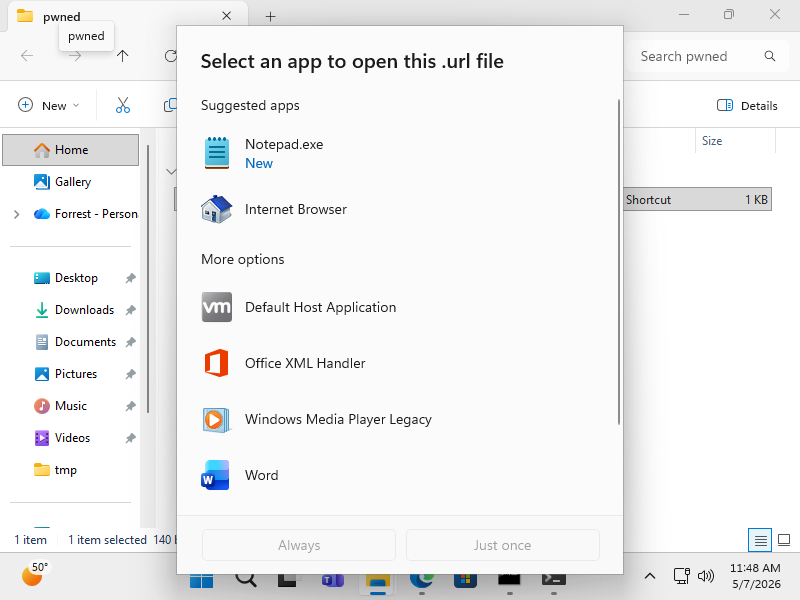
And I'll admit that "disassociate .URL files from opening in Windows" is a touch more hand-wavy than it should be, I suppose.
When double-clicking a file in Windows, there's a little dance of system-wide file associations and user-specific file associations to determine how Windows should handle the file.
With a little bit of testing, I've determined that this seems to neuter .URL files:
Per-user:
To disassociate .URL files for the current user:
reg add HKCU\Software\Classes\.url /ve /d DisabledURLFile /f
reg add HKCU\Software\Classes\DisabledURLFile /ve /d "Disabled Internet Shortcut" /f
reg add HKCU\Software\Classes\DisabledURLFile\shell\open\command /ve /d "notepad.exe \"%1\"" /f
reg delete HKCU\Software\Microsoft\Windows\CurrentVersion\Explorer\FileExts\.url /f
To undo disassociation for the current user (i.e. you really need to be able to open .URL files):
reg delete HKCU\Software\Classes\.url /f
reg delete HKCU\Software\Classes\DisabledURLFile /f
reg delete HKCU\Software\Microsoft\Windows\CurrentVersion\Explorer\FileExts\.url /f
System-wide:
This is a bit weird, as even if you disassociate .URL files in the system-wide registry locations, you'll encounter user-specific bits that still know how to handle the files.
To disassociate .URL files system-wide:
In an elevated prompt:
reg delete HKLM\Software\Classes\.url.original /f
reg copy HKLM\Software\Classes\.url HKLM\Software\Classes\.url.original /s /f
reg delete HKLM\Software\Classes\.url /f
reg add HKLM\Software\Classes\.url /ve /d DisabledURLFile /f
reg add HKLM\Software\Classes\DisabledURLFile /ve /d "Disabled Internet Shortcut" /f
reg add HKLM\Software\Classes\DisabledURLFile\shell\open\command /ve /d "notepad.exe \"%1\"" /f
In a non-elevated prompt (i.e. for the current user):
reg delete HKCU\Software\Classes\.url /f
reg delete HKCU\Software\Microsoft\Windows\CurrentVersion\Explorer\FileExts\.url /f
To undo disassociation system-wide (i.e. you really need to be able to open .URL files):
reg delete HKLM\Software\Classes\.url /f
reg copy HKLM\Software\Classes\.url.original HKLM\Software\Classes\.url /s /f
reg delete HKLM\Software\Classes\DisabledURLFile /f
Personally, I think this is a bit overly complex. Perhaps somebody can chime in with some better advice?
I have seen a write-up on how to disable file associations for dangerous files, but in my simple world that's differently complicated. (I'm no Windows sysadmin)